
How to enable Multi-Factor Authentication (MFA)
DecipherRisk™️ gives Users the option to use MFA, in addition to a password, for Identity and Access Management of the system providing a higher level of security .
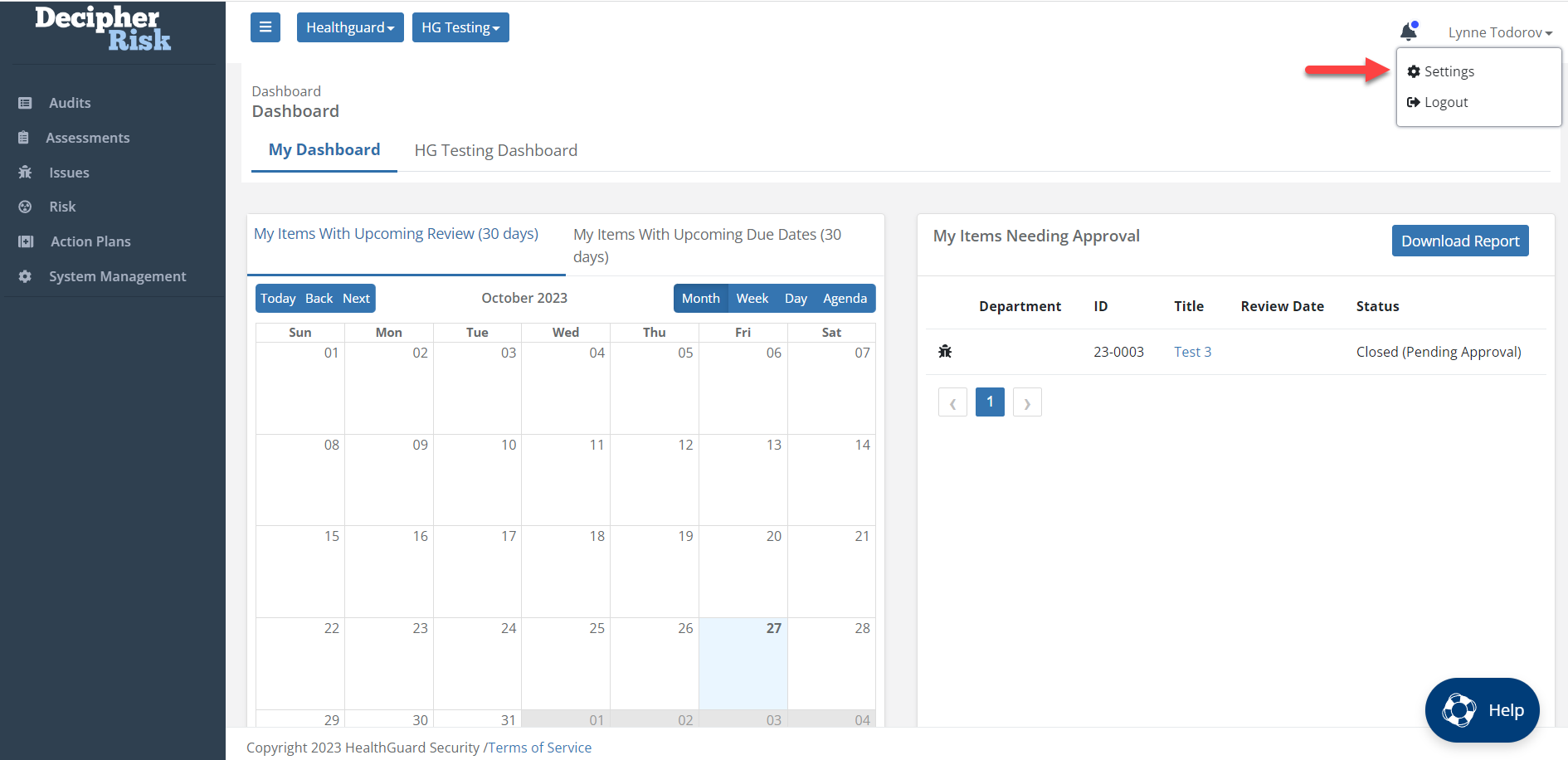
Step 1: Click the down arrow next to User name and choose Settings
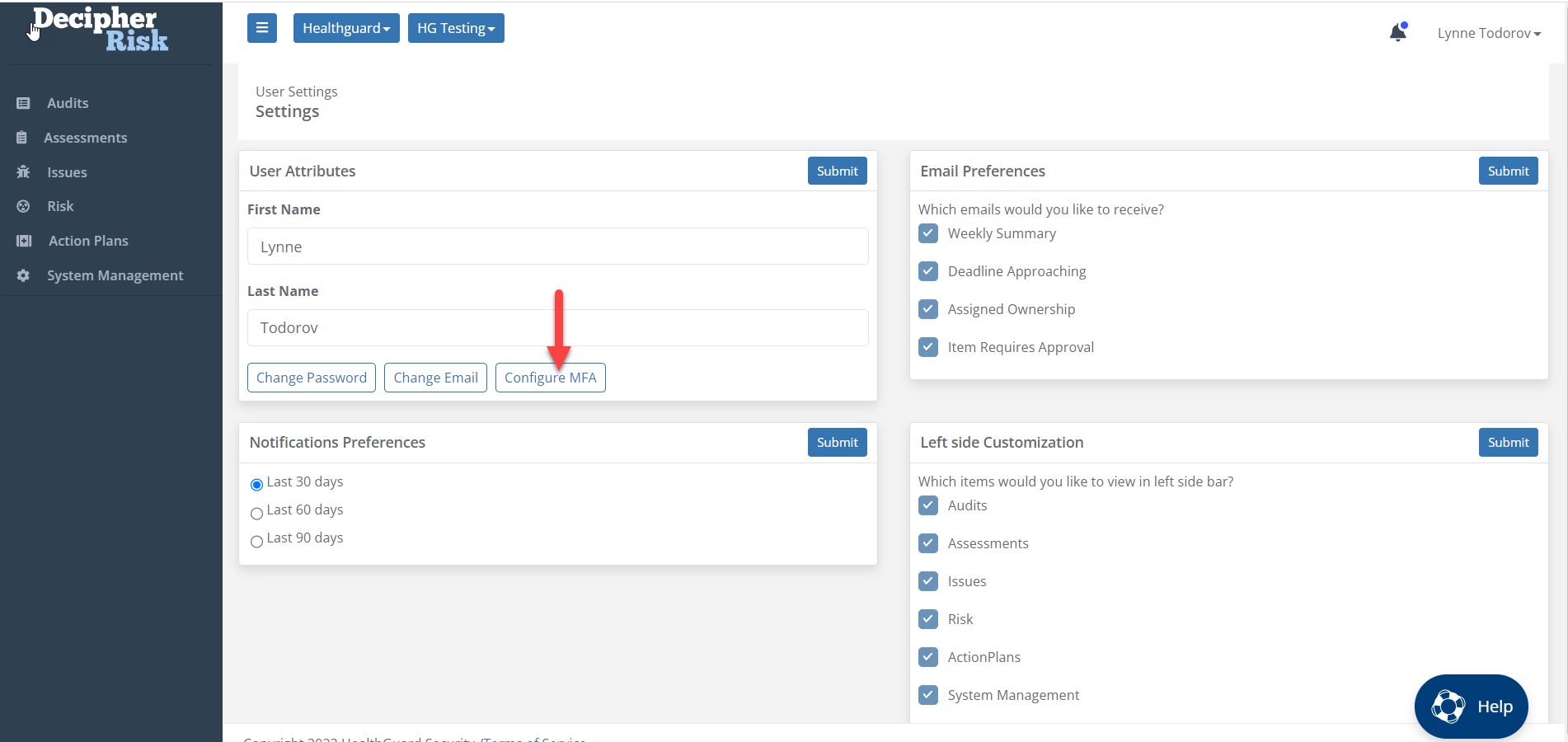
Step 2: Choose Configure MFA
Step 3: Follow Steps on Screen and Submit
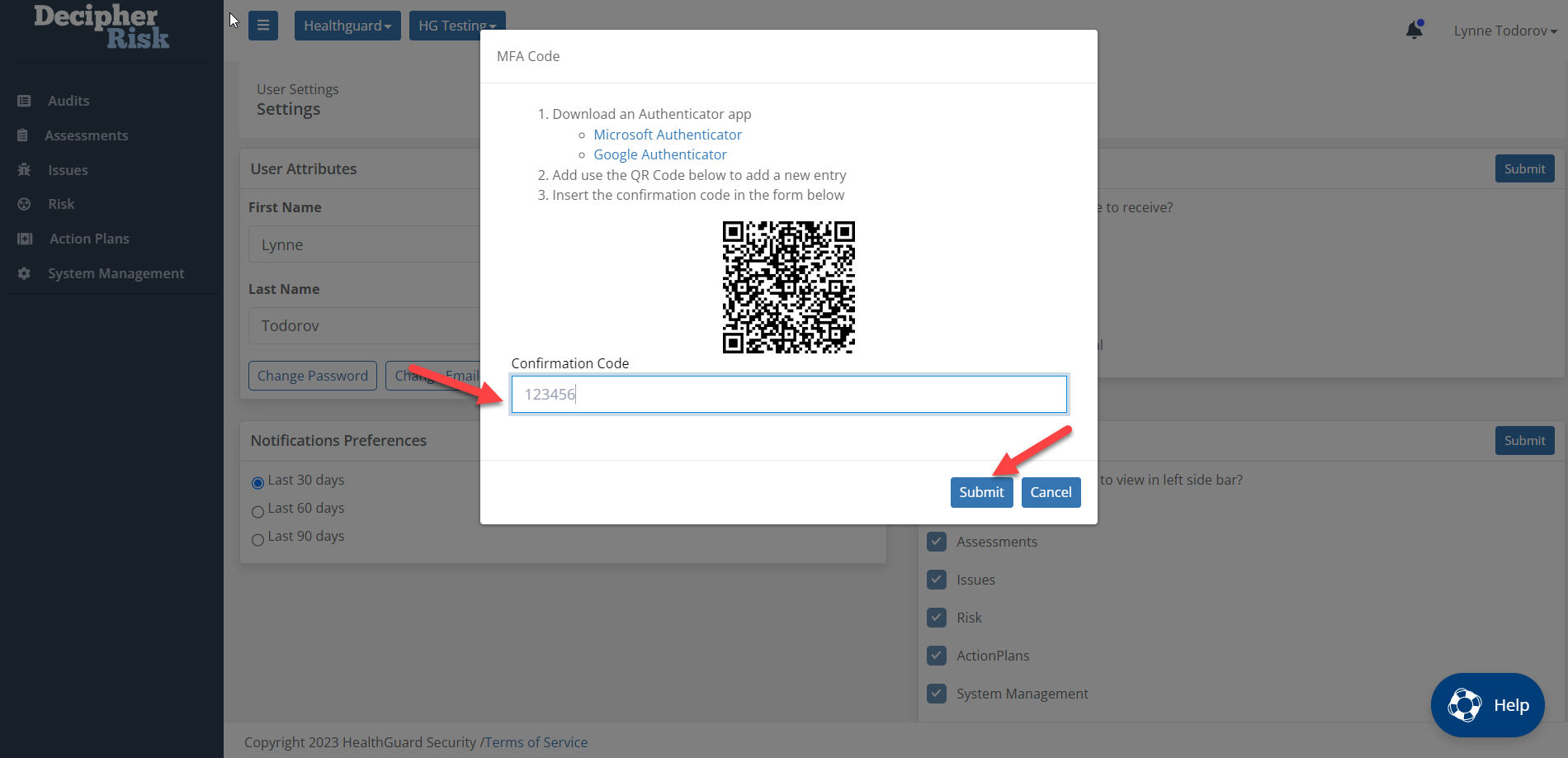
After MFA has been activated, the User will receive a prompt for a code from the Authenticator app for every system log in.